LoonCart Discounts
Quantity-break discounts for Shopify stores. Shoppers save more when they buy more: set tiers like buy 2+ save 10% or buy 3+ save 20%, and the tier they earn applies automatically at checkout.
Available today in the Shopify App Store. Install LoonCart Discounts now, free up to 50 discounted orders a month.
Or email support@looncart.com.
How it works
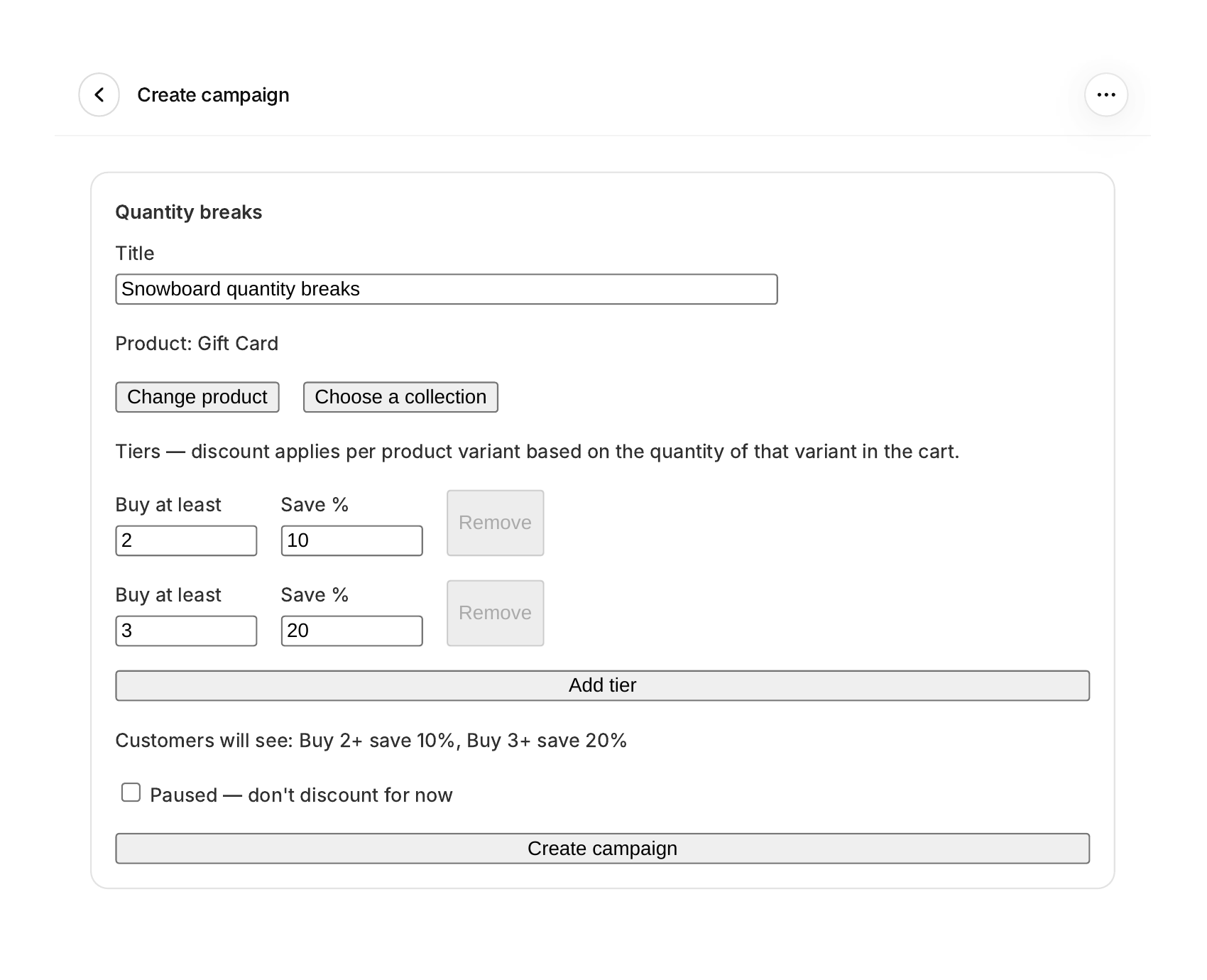
- Create a campaign and pick the products it covers.
- Set your tiers: how many items earn how much off.
- The discount applies itself at checkout. No discount codes for shoppers to hunt for, and no theme code to edit.
LoonCart Discounts is the second app from the makers of LoonCart Upsell, and it follows the same rules: all features on every plan (plans differ only by order volume), and pricing stated plainly. Want cart offers too? LoonCart Upsell adds one well-chosen offer to your cart page.
See it in Shopify
Click a screenshot to see it full size.
Watch it in action
A short walkthrough of LoonCart Discounts in Shopify.
Pricing
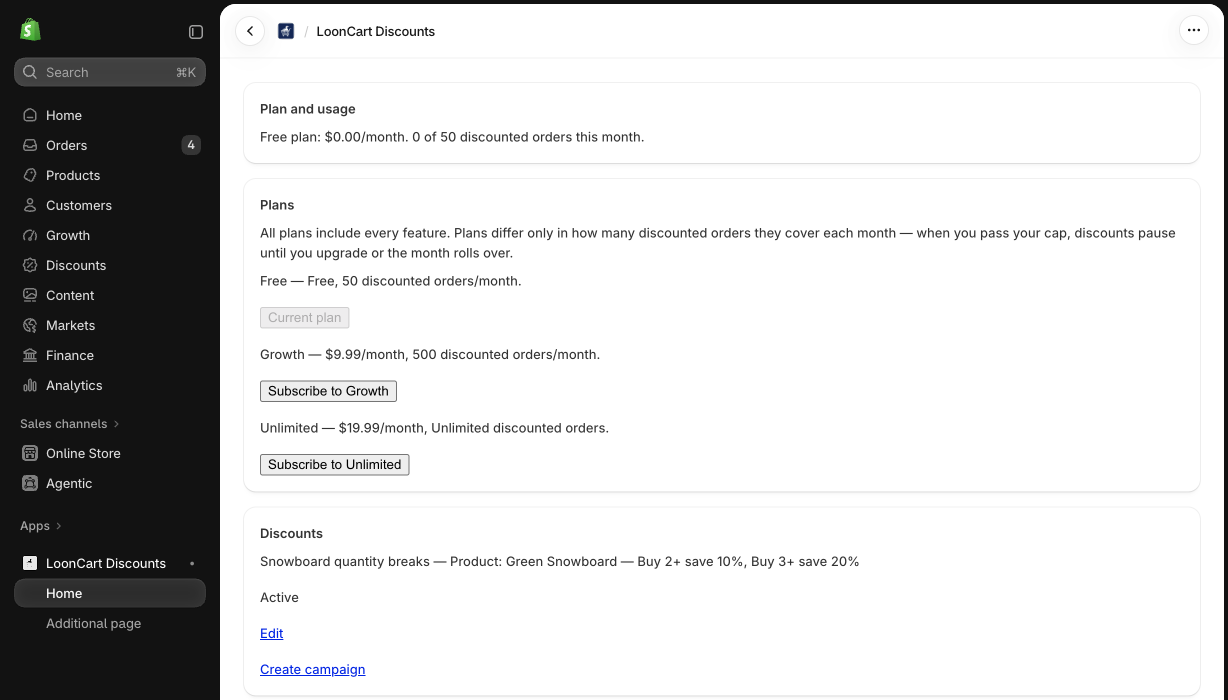
One flat monthly price based on how many discounted orders you get. A discounted order is an order where a LoonCart Discounts campaign discount actually applied at checkout. Each order counts once, no matter how many campaigns it touches, and the count adds up across all of the shop's campaigns. On the free plan, the order that takes you past 50 (the 51st) still counts and is still discounted; discounts then pause for the rest of the month.
- Free: up to 50 discounted orders a month, all features included.
- $9.99 USD a month: up to 500 discounted orders.
- $19.99 USD a month: unlimited discounted orders.
Upgrading, or the start of a new month, turns discounts back on. Refunded orders still count: the count is taken when the order is placed.
The percentage comes off every unit of the campaign product in the cart once the quantity is reached. LoonCart discounts do not currently combine with other Shopify discounts. Shopify's default discount combination rules apply.
Frequently asked questions
What is a Shopify quantity break?
A quantity break is a tiered discount: the more a shopper buys of a product, the bigger the percentage off. LoonCart Discounts applies it automatically at checkout once the quantity is reached.
Do shoppers need a discount code?
No. The discount applies automatically at checkout, with no code for the shopper to enter.
What counts as a discounted order?
An order where a LoonCart Discounts campaign discount actually applied at checkout. Each order counts once, no matter how many campaigns it touches, and the count adds up across all of the shop's campaigns.
What happens when I reach my monthly limit?
Your order allowance is based on discounted orders, not individual products. Each order counts once, even if it contains multiple discounted products or uses multiple LoonCart campaigns. The order that takes you over your monthly allowance still receives its discount. After that, discounts pause until you upgrade your plan or your monthly allowance resets.
Can LoonCart discounts be combined with other Shopify discounts?
LoonCart discounts do not currently combine with other Shopify discounts. Shopify's default discount combination rules apply.
Status
LoonCart Discounts is available today in the Shopify App Store.
Questions: support@looncart.com